
AI Customer Support for SaaS: How Automation Changed Our Support System
AI customer support for SaaS: how we turned chaotic Telegram messages into structured support automation using AI chatbots and AI agents.
Why Customer Care SaaS Needs AI
Section titled “Why Customer Care SaaS Needs AI”For a long stretch, my mornings ran on a script.
Open the app → the chat → answer whatever came in.
We were still early, so the inbox never looked “busy” in the way people imagine service teams get busy. Still, each message demanded a real response.
One person needed a quick “how it works.” Another was stuck on payment. Someone else had paid and was staring at silence.

And if you didn’t answer fast, the tone changed.
“Hello??” “Is anyone here?” “Why is nothing happening?”
I used to chalk that up to impatience. It wasn’t. It was uncertainty — and Telegram is a perfect place for uncertainty to multiply. In a chat app, silence feels like something broke.
That’s when the real issue landed for me. The problem wasn’t volume. It was structure.
We eventually turned those loose, messy conversations into a more structured Telegram service setup using telegram automation, and only after that did adding an automated support agent start to make sense.
Telegram Is Built for Conversations — Not Service Workflows
Section titled “Telegram Is Built for Conversations — Not Service Workflows”Telegram, by design, is built for conversation. Service isn’t only a conversation. It’s an operational workflow.
Most helpdesk platforms quietly solve a set of basics: tickets, statuses, categories, routing, escalation. The app offers none of that.
Every message looks equal in the inbox. “How does this work?” sits right beside “I just paid and nothing happened,” and they visually carry the same weight. For users, that sameness adds stress. For founders, it makes everything feel urgent.
So people reach for tools. They try a Telegram bot. Then a Telegram chatbot. Then a handful of Telegram bots. Others bolt on an external helpdesk. Some cycle through a list of support tools.
But there’s a catch.
Tools don’t fix disorder. Even the best chatbot for customer service can’t sort a process that has no shape.
We went another direction. Instead of asking, “What bot should we add?” we asked a different question: can telegram automation be turned into an actual workflow?
The Real Problem Was Repetition
Section titled “The Real Problem Was Repetition”After a few weeks of handling messages by hand, I went back through the chats and tallied what was coming in. The pattern wasn’t subtle.
The same questions kept returning:
- How do I pay?
- How does the product work?
- Where is my subscription?
- Can I transfer my account?
- Why am I not seeing activity?
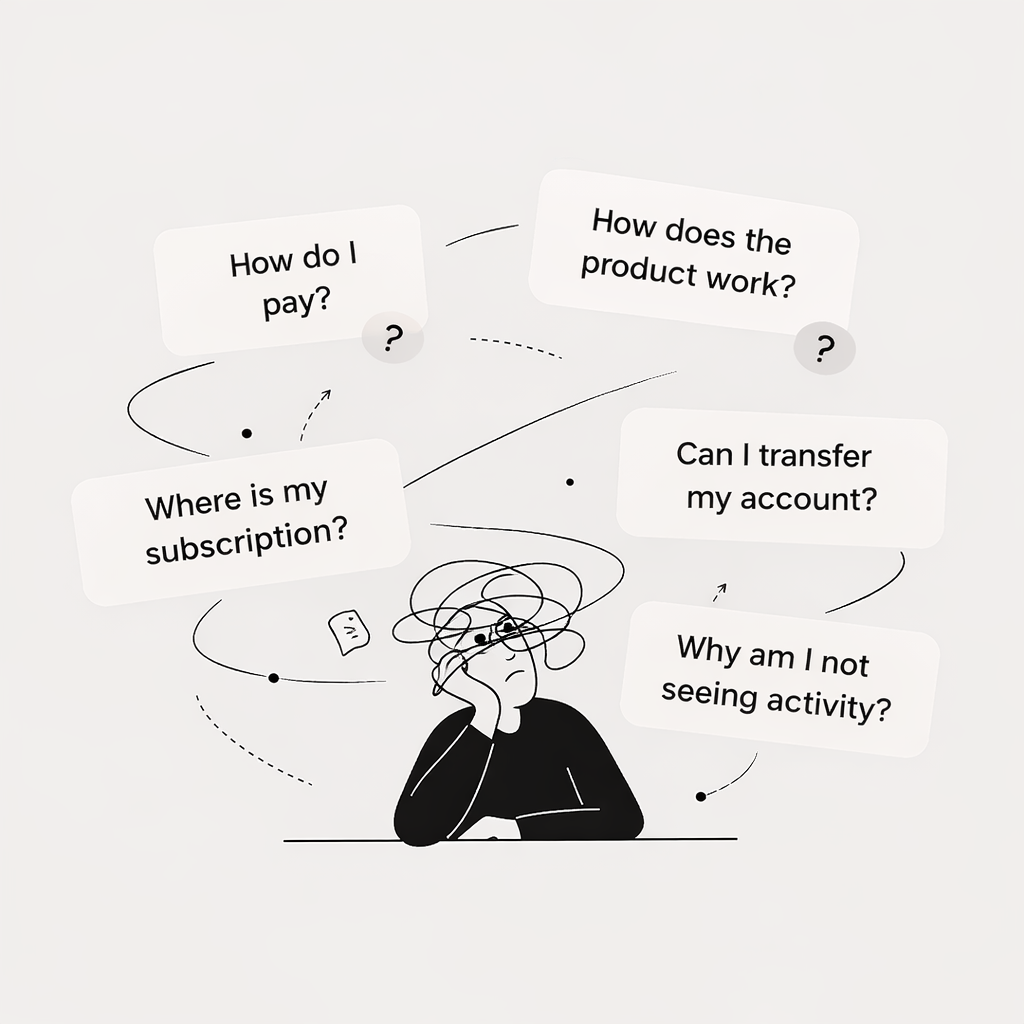
None of these were hard. What they did was drain attention.
You can’t build features while typing the same explanation for the 40th time. You end up living inside replies, not inside product work.
That’s the exact kind of load support tools can reduce — but only if the workflow they sit on is already organized.
Marketing Made Service Harder
Section titled “Marketing Made Service Harder”At the same time, marketing started to click. Traffic rose. Trials rose. Messages rose.
On paper, it was good news. In practice, every campaign meant more interruptions. And because everything happened in the same inbox, the mess thickened fast.
Eventually I hit an uncomfortable conclusion: if traffic doubled, the whole setup would snap.
Plenty of founders react by shopping for a chatbot for business, experimenting with chatbot solutions, or looking into chatbot development. It’s an understandable move. It’s also incomplete. If the workflow is broken, a bot just answers inside the same broken flow.
The First Mistake I Made
Section titled “The First Mistake I Made”My first attempt at fixing it was the most obvious one.
Reply faster. Stay online. Treat every message like it needed an immediate human.
For a little while, that looked like progress. Later it turned into constant pressure. The inbox became background noise that never shut off.
That’s when the idea of a structured workflow stopped being a nice-to-have and started looking like survival.
A sensible care strategy isn’t about typing quicker. It’s about reducing the number of times typing is required at all.
The Five Structural Gaps Behind Incoming Messages
Section titled “The Five Structural Gaps Behind Incoming Messages”When we dug deeper into what people were asking, the questions clustered around five missing pieces:
- Product explanation — how it works, setup logic, features
- Subscription visibility — plan info, billing, renewal
- Payment clarity — payment issues, invoices, refunds
- Account transfer rules — change owner, transfer data, permissions
- Activity expectations — expected results, response time, message volume
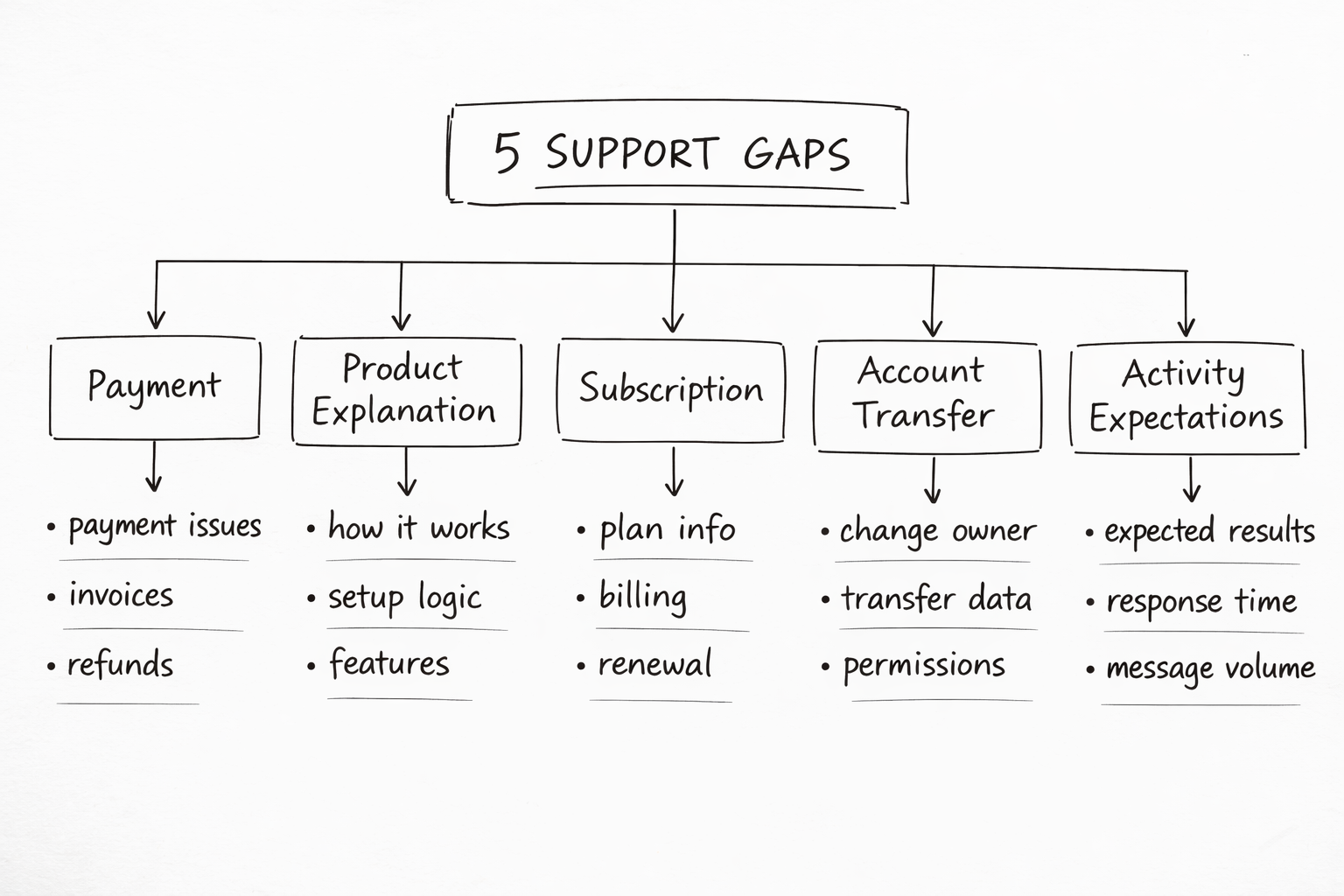
These weren’t rare edge cases. They were everyday situations with no built-in path.
Missing workflows create conversations, and conversations eat time.
We Redesigned the Setup Instead of Hiring
Section titled “We Redesigned the Setup Instead of Hiring”Some teams solve this by adding a customer care chatbot, adopting service agents, or deploying ai chatbots for multi-language customer support.
We decided to step back and redesign the experience itself.
A lot of companies handle growth by hiring more agents. We didn’t.
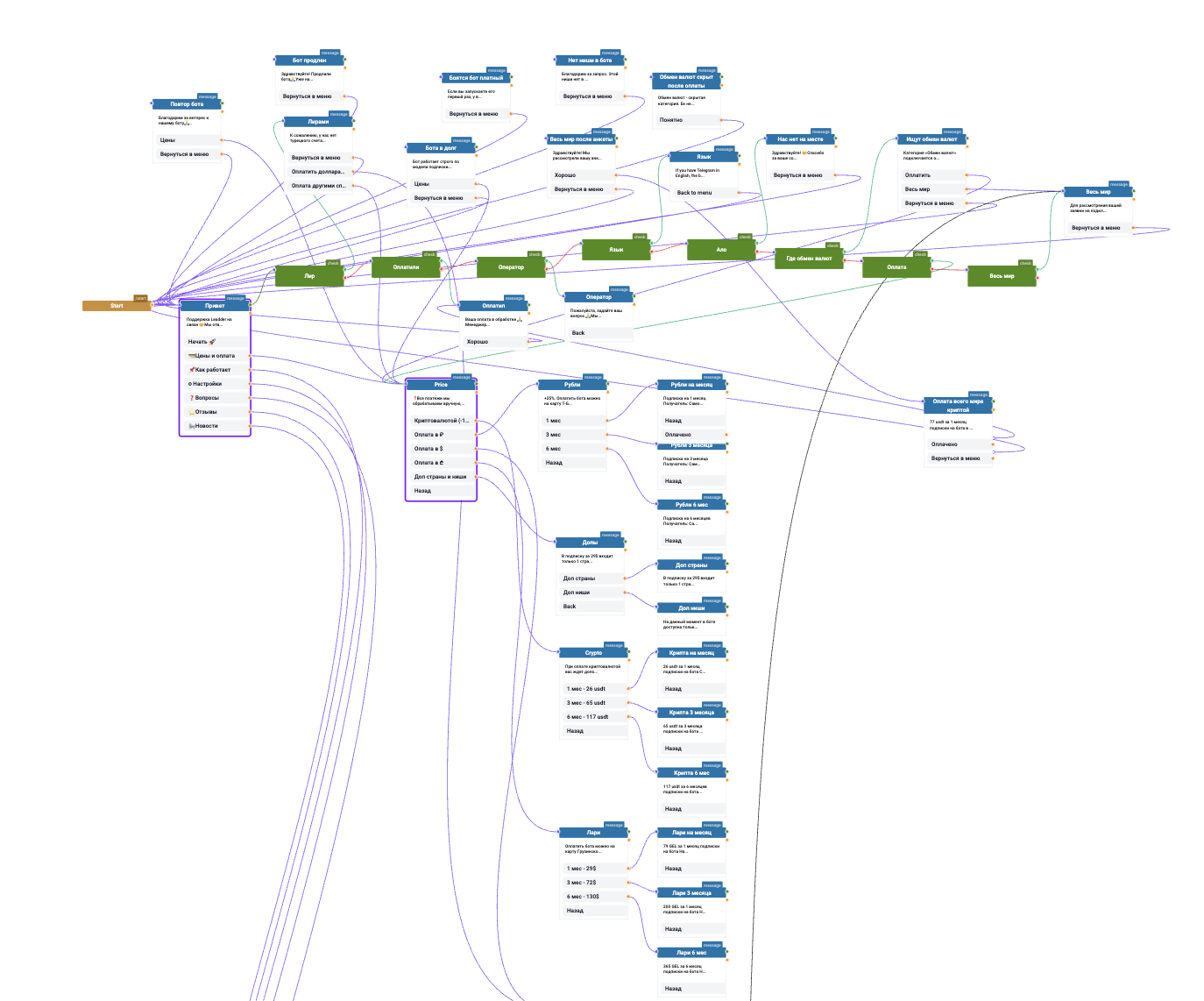
Instead, we rebuilt the flow so it worked inside the messenger. People interact with a bot in Telegram right there — no extra dashboards, no added logins, no separate platform someone has to remember to check.
That simplicity is a big reason this approach can work when it’s done with care.
Payment: The Most Emotional Moment
Section titled “Payment: The Most Emotional Moment”Payment turned out to be the most emotional part of the whole journey.
Before we changed anything, payments meant manual explanations, over and over: pricing, methods, instructions, confirmation, activation timing. Every delay felt suspicious to someone who had just opened their wallet.
Now most of that runs through a telegram chatbot — an automated service chatbot and a lightweight chat agent inside the app.
It shows pricing and options, walks people step by step, and spells out what it will not do:
- No automatic charging
- No asking for passwords
- No grabbing account access
Once payment was clarified upfront, the temperature in the inbox dropped.
Embedding Answers Instead of Repeating Them
Section titled “Embedding Answers Instead of Repeating Them”The other shift was simple: stop repeating answers.
If an explanation gets typed dozens of times, it shouldn’t live in a human’s memory. It should live in the workflow.
So we embedded those answers directly into the flow:
- Ask how the product works → get a structured explanation
- Ask about subscriptions → get pointed to the right view
Traditional customer care SaaS platforms often push people to FAQ pages. We wanted answers to show up naturally inside the conversation, without making the user leave and hunt.
Small Changes That Changed Everything
Section titled “Small Changes That Changed Everything”Then came the small changes — the ones that feel minor until you watch them compound.
Keyword triggers became a big one. When someone types “nothing is happening,” the assistant responds with an explanation of normal expectations and timing.
These small changes reduced repeated questions, reduced manual effort, and lowered the sense that the inbox was constantly on fire.
Replacing Open Chat With Guided Paths
Section titled “Replacing Open Chat With Guided Paths”We also changed how conversations begin.
Instead of dumping people into an open-ended chat, we gave them clear paths right away:
- Payment
- Subscription
- How It Works
- Account Settings
- Contact Team
That simple set of options cut confusion. People knew where to go. Threads got shorter, and the cases that reached a human were more specific.
Why AI Came After Structure
Section titled “Why AI Came After Structure”Only after all of that did we add AI.
Structure first, AI second.
Without structure, tools improvise — and improvisation is risky in service operations. With structure, the workflow becomes dependable.
We trained the assistant based on the questions we kept seeing, the common misunderstandings, and the edge cases that regularly tripped people up.
The goal wasn’t to ship a novelty chatbot. It was to build something that behaved like part of the operation.
Handling Voice Messages and Screenshots
Section titled “Handling Voice Messages and Screenshots”Telegram adds its own quirks. People send voice notes. They send screenshots. They drop context in fragments.
So the assistant transcribes voice messages, reads intent, and can evaluate screenshots to see whether they relate to our platform.
This kind of automated assistance allows the tool to behave more like an operational chat assistant than a simple script.
Human Escalation
Section titled “Human Escalation”When it can’t tell, or when something looks unusual, it moves the case to a human.
That’s the only way this works long-term.
Pros and Cons of Automation in Support
Section titled “Pros and Cons of Automation in Support”The main advantage is scale. A good automated support agent answers repetitive questions instantly, guides people through common tasks, and reduces the workload for human operators.
But automation also has limitations:
Pros:
- Scales effectively
- Instantly answers repetitive questions
- Reduces workload for human operators
Cons:
- May misunderstand unusual situations
- Lacks context in edge cases
- Struggles with emotional conversations
- Without escalation rules, can create confusion
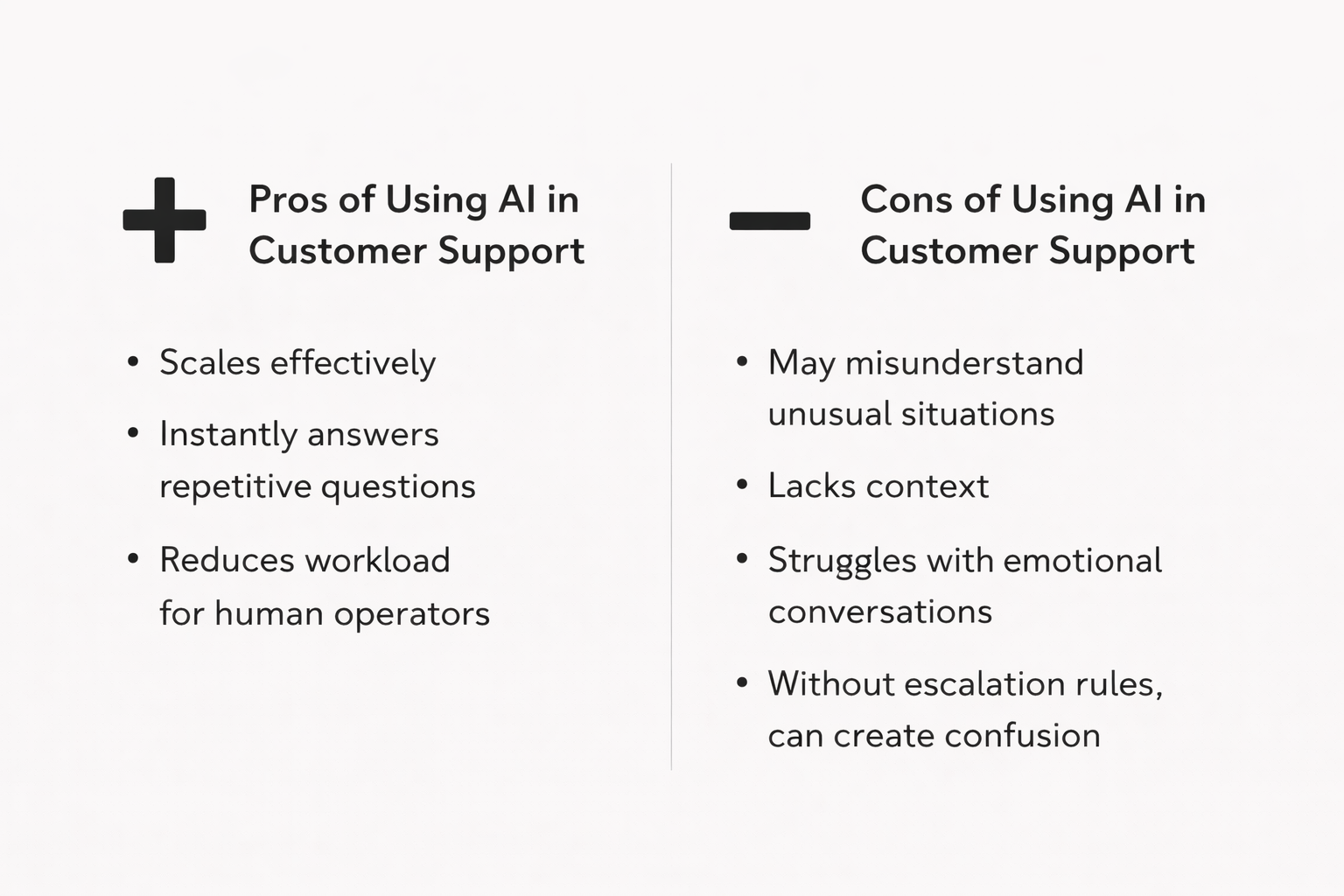
That is why good workflows combine automation and human assistance.
What I Learned
Section titled “What I Learned”The biggest lesson was simple.
Service operations don’t scale with speed. They scale with predictability.
If the same questions show up every day, the answers should be consistent, easy to access, and built into the flow.
Once we stopped reacting and started designing the workflow, it became something we could actually sustain.
Start Building AI Agents
Section titled “Start Building AI Agents”If you want to improve your own workflow, the path is clear: build structure first, then add AI where it genuinely reduces repetition.
With Grailgun, you can build your own generative chatbot through a simple chatbot development flow and automate conversations without code.
It’s one way automation can reduce pressure on teams while keeping the process transparent and human-controlled.